Phone Number Tracker
GENERATIONZTECH LIMITEDMaps & Navigation
3.83.00 Reviews
- Version
- 2.0.4
- Installs
- 1.00M
- Age Rating
- Everyone
Screenshots
Our Review of Phone Number Tracker
 Analysis by Appyee
Phone Number Tracker is easiest to judge in a shared-use situation: a household trying to coordinate arrivals, or friends meeting across town, rather than someone hoping to identify a stranger’s exact whereabouts. I’d treat it as a consent-based location tool, not a way to secretly follow anyone. That distinction matters because a phone number alone should not be confused with permission or dependable live access.
Start with a shared plan, not just a number
Before anyone relies on the app, I’d agree on who is sharing their location, for what reason, and when that sharing should stop. A family member heading home may be comfortable sharing for that journey; that does not automatically mean they want ongoing visibility. A quick conversation avoids awkward surprises and makes the app part of a practical plan rather than an assumption.
I would also decide which device and account are being used before setting anything up. On a shared household phone, one person’s choices can affect what another person sees or shares. Keep each person’s access and expectations clear, and avoid treating a child’s device, a partner’s phone, or a relative’s phone as a household tracking device without their knowledge and appropriate consent.
That boundary is especially useful when the app is being considered for an older relative or a teenager. Location sharing can help with coordination, but it is not a substitute for checking in directly or agreeing on a safety routine. If someone is uncomfortable with being tracked, a call or a message is the better option.
What a location result can—and cannot—tell you
A location estimate is most useful as a broad coordination clue. If a friend is running late, it may help you understand whether they are nearby or still travelling; it should not be used to decide that they are standing at a specific doorway. Buildings, signal conditions, and the phone’s own location settings can all affect what a map appears to show, so I would confirm an important detail by messaging the person.
The same caution applies to the phone-number lookup side. Carrier or region information can offer context about an unfamiliar call, but it does not prove who is calling, where the caller is now, or whether a number belongs to the person a caller claims to be. For suspicious calls, I would avoid calling back or sharing personal details just because an app displays a plausible region.
For a household routine, I’d use location as a prompt rather than a verdict: “It looks like you may be close; should I keep dinner warm?” is more sensible than assuming the displayed point is exact. That small habit reduces the risk of a stale or approximate reading turning into a needless worry.
Getting Started with Phone Number Tracker
The first thing I noticed was how easy it is to download and set up the Phone Number Tracker app. Available for both Android and iOS, you can find it on the respective app stores. Installation was a breeze. Just a couple of taps, and I was ready to dive in.
The user interface is clean and straightforward, which I appreciated. You won't find any unnecessary clutter here. Once you open the app, you're greeted with a simple home screen that guides you through the process of tracking a number. It’s intuitive, so you don’t need to be tech-savvy to use it.
Tracking Features and Functionality
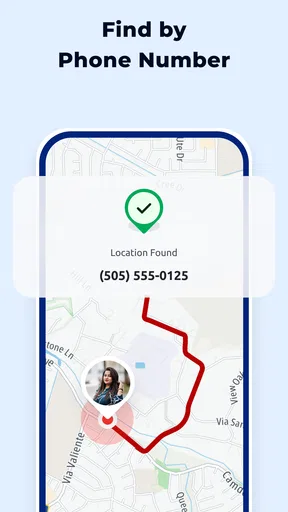
Now, onto the meat of the app—its tracking capabilities. The app allows you to input a phone number and trace its location. I tried it with a few numbers, and it provided me with general location data. It’s not pinpoint accurate, but it gives you a decent idea of where the number might be based.
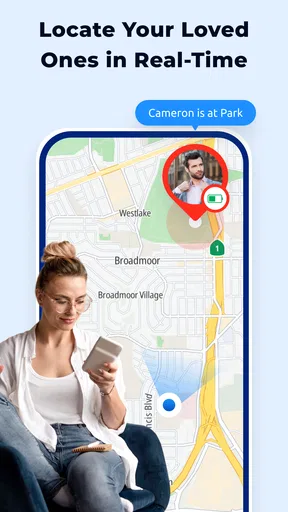
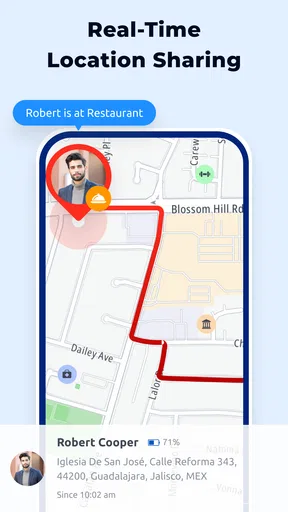
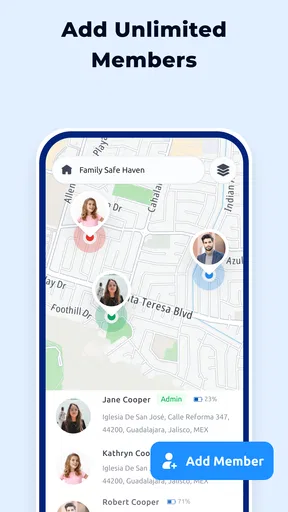
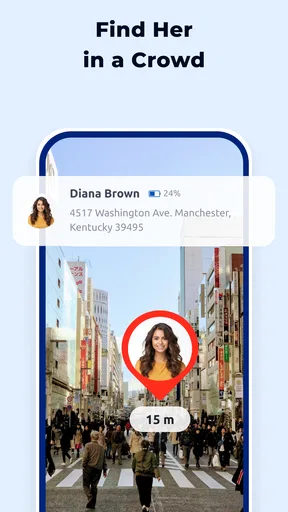
What really caught my attention was the real-time tracking feature. I tested it with a friend’s consent, of course, and it was fascinating to see their location update as they moved around the city. This feature can be particularly handy when trying to coordinate meetups or ensuring someone’s safety.
The app also provides additional information like the carrier and region of the phone number, which could be useful in identifying unknown calls. However, keep in mind that this is more of a general guide than a precise tool.
Security and Privacy Concerns
Of course, when it comes to tracking apps, privacy is a big concern. The developers have implemented some security measures, ensuring that the data is encrypted and not shared with third parties. However, I always recommend using these features responsibly. Make sure you have permission before tracking someone’s location, as misuse can lead to privacy violations.
The app also includes settings to customize your privacy preferences, so you can be in control of what information you share. It's reassuring to see these options available, considering how sensitive location data can be.
In-App Experience and Usability
While the Phone Number Tracker app is quite functional, I did encounter a few hiccups. Occasionally, the app would take a while to load the location information, especially during peak times. It's not a deal-breaker, but something to be aware of if you need quick results.
The app is also ad-supported, which can be slightly annoying. Ads appear at the bottom of the screen, and sometimes you might have to watch a short video ad before accessing certain features. If you’re not a fan of ads, there’s an option to purchase an ad-free version, which also unlocks additional features.
How it fits a household’s day
For a realistic example, imagine a parent and an adult child meeting after work, with one travelling across an unfamiliar part of town. If both agree to share, a location update can help the person waiting decide whether to stay put or move to a nearby meeting point. I would still send a direct message before changing plans: a map can help with timing, but it cannot explain why someone has stopped or whether they want help.
This is where the app’s two kinds of information need to stay distinct. A phone-number region result is not the same thing as a live location shared by a person. The former is broad context about a number; the latter is useful for coordination only when the other person has knowingly enabled or agreed to that sharing. I would not install it expecting a number lookup to reveal a person’s exact current position.
Choosing the right tool for the job
Compared with ordinary map apps, a dedicated tracker may feel more direct when the goal is to check a consenting contact’s location. A regular map is usually better for planning a route, checking directions, or choosing a meeting place; it is not a replacement for someone actively sharing their position. Conversely, if the only question is who called, a phone’s caller-ID or spam-filtering tools may be a more appropriate first step than a location app.
There is a practical trade-off: a purpose-built tracker can put number information and location-oriented use in one place, but it should not be treated as a complete navigation or identity-verification system. I’d choose the simplest tool that answers the actual question. If all I need is directions, I would open a maps app. If I need to coordinate with a willing friend, this app may be more relevant; if I need certainty about an unknown caller, I would verify through a trusted channel instead.
Phone Number Tracker is a free Maps & Navigation app from Generation z apps, with a 3.8 average from 296 ratings and more than a million installs. It is rated for everyone, though that rating does not mean location sharing is suitable for every age or situation. The current version is 2.0.1 and it requires Android 7.0 or later. I’d keep those basics in mind when checking whether it fits a household’s devices, and I’d review any purchase prompt carefully: in-app items range from $5.99 to $39.99.
For a shared phone, I would make one person responsible for checking the account and purchase settings, then explain to everyone else what the app is being used for. That is not a special tracking feature; it is simply a sensible way to avoid confusion when several people use one device. If each household member has their own phone, separate, explicit agreements are clearer than assuming one person can speak for everyone.
When I would skip it
I would pass on this app if I needed precise navigation, emergency response, or proof of a stranger’s identity. A general location estimate is not a dependable substitute for emergency services, and a delayed update is not a reliable signal that someone is safe or unsafe. For urgent concerns, contact the person directly and use appropriate local help rather than waiting on a tracker.
I would also skip it for anyone who wants covert monitoring. The more useful household arrangement is one where everyone understands the purpose and can raise concerns. That is particularly important with teenagers: an open agreement about when location sharing is useful is healthier than presenting continuous visibility as a default. For younger children, an adult should assess whether the tool and its setup suit their circumstances rather than relying on the broad age label alone.
Finally, people who dislike ads or expect immediate results may find the experience frustrating. I noticed that location information could take time to load, and the ad-supported design adds interruptions. If a household needs a consistently fast check-in workflow, test it during ordinary, non-urgent use first and decide whether the delay and advertising are acceptable before depending on it for plans.
Final Thoughts
Overall, the Phone Number Tracker is a handy tool to have on your phone. Whether you’re trying to keep tabs on your friends, verify unknown numbers, or just satisfy your curiosity, it does the job well enough without being overly complicated.
Its user-friendly interface and real-time tracking set it apart from other similar apps. Just remember to use it ethically and respect people's privacy. If you’re interested, you can find it on the Google Play Store or Apple’s App Store. Give it a try and let me know what you think!
My recommendation is measured: it makes the most sense for people who want a simple, consent-based way to coordinate and who are comfortable treating results as approximate. Before relying on it, agree on sharing boundaries, try the workflow when nobody is in a hurry, and keep a direct message as the fallback. If those habits fit your household, it can be useful; if you need exact tracking, quiet operation, or dependable emergency coverage, I’d choose another approach.
Verdict
Strengths of Phone Number Tracker
- Accurate location tracking capabilities.
- Easy-to-use interface for all ages.
- Real-time updates on phone location.
- Supports multiple phone numbers.
- Minimal battery usage.
Limitations of Phone Number Tracker
- Limited features in free version.
- Requires constant internet connection.
- Not available in all countries.
- Privacy concerns for some users.
- Occasional app crashes reported.
Similar Picks in This Category
View All
Uber - Request a ride
Uber Technologies, Inc.4.7


inDrive. Rides with fair fares
® SUOL INNOVATIONS LTD4.8

Yandex Go: Taxi Food Delivery
Mikromobilnost LLC Belgrade4.8

Bolt: Request a Ride
Bolt Technology4.8

Rapido: Bike-Taxi, Auto & Cabs
Rapido Bike Taxi4.8
Frequently Asked Questions
How accurate is the Phone Number Tracker?
The accuracy of the Phone Number Tracker can vary depending on several factors such as network coverage, GPS signal strength, and the specific technology used by the app. Generally, it provides a close approximation of the location, but it's important to understand that it may not pinpoint an exact address.
Is it legal to use a Phone Number Tracker app?
The legality of using a Phone Number Tracker app depends on the laws in your country or region. Typically, tracking someone's phone without their consent is illegal and could lead to serious consequences. Always ensure you have explicit permission from the person whose phone you wish to track.
What permissions are required to use the Phone Number Tracker?
The app typically requires access to your phone's location services, internet connection, and sometimes access to contacts or SMS services. These permissions help the app function correctly, but always review the permissions to ensure you're comfortable with the access you're granting.
Does the Phone Number Tracker work offline?
Most Phone Number Tracker apps require an active internet connection to function properly, as they rely on network data to determine the location. However, some apps may offer limited offline functionality using previously cached data, but this may not be as accurate or up-to-date.
Can the Phone Number Tracker be used internationally?
Yes, many Phone Number Tracker apps can be used internationally. However, the effectiveness may vary depending on the availability of network services in different countries. Additionally, international tracking might incur additional charges or require specific settings adjustments, so check with the app provider for details.
